
Apple Health vs Health Connect: pros, cons & integration
As mobile health applications continue to evolve, accessing reliable and standardized health data has become a critical requirement for developers and product teams. Two major platforms dominate this space today: Apple Health (via HealthKit) and Health Connect on Android.
While both aim to centralize health and fitness data from multiple sources, they differ in ecosystem reach, integration complexity, and data access models. Understanding their strengths and limitations is essential when building scalable, cross-platform health products.
What is Apple Health?
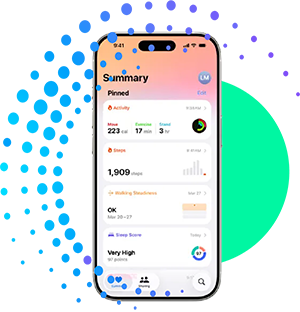
Apple Health is Apple’s health data platform, powered by HealthKit, that aggregates health and fitness data from the Apple Watch, iPhone sensors, and third-party apps. It is deeply embedded in the iOS ecosystem and is often the primary source of health data for Apple users.
Pros of Apple Health
Deep integration with iOS and Apple Watch
High data consistency and strong quality controls
Broad range of supported health metrics, including activity, heart rate, sleep, nutrition, and vitals
Strong user trust and privacy-first design
Mature developer tooling and documentation
Cons of Apple Health
Limited strictly to Apple devices
Requires iOS-specific development expertise
No direct server-to-server access; data must be collected on-device
Data availability depends heavily on user permissions and device usage
What is Health Connect?
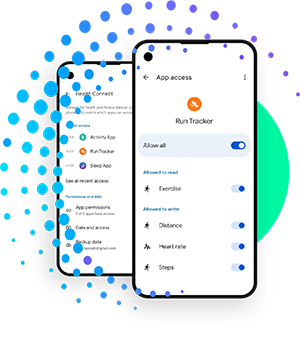
Health Connect is Google’s unified health data platform for Android. It acts as a central layer where apps can read and write health and fitness data, replacing fragmented integrations across multiple Android health services.
Pros of Health Connect
Designed specifically to unify Android health data
Supports data from multiple wearable brands and fitness apps
Simplifies permissions and data-sharing across Android apps
Actively evolving with growing ecosystem adoption
Open approach aligned with Android development practices
Cons of Health Connect
Android-only platform
Still maturing compared to Apple Health
Data quality and availability can vary by device manufacturer
Fragmentation across Android versions and OEMs can add complexity
Apple Health vs Health Connect at a glance
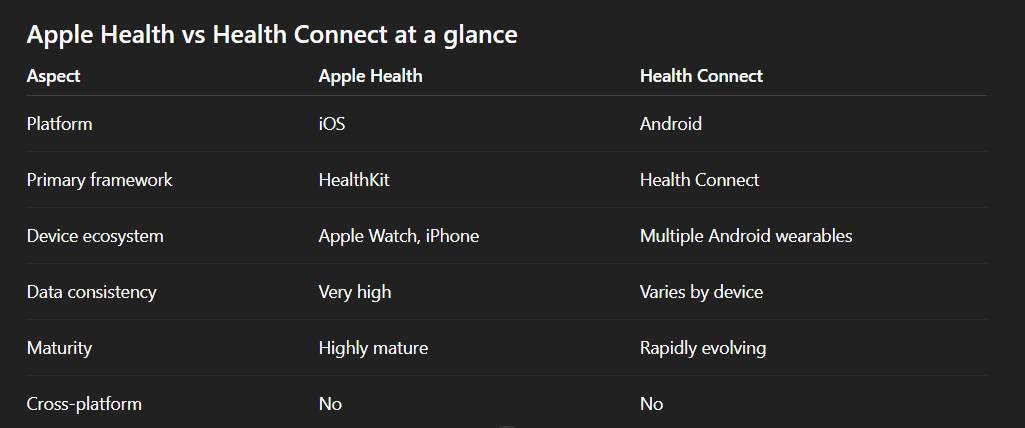
How to integrate with Apple Health
To integrate with Apple Health, developers must use HealthKit within an iOS application.
Key steps include:
Enabling HealthKit capabilities in your iOS project
Requesting explicit user permissions for each data type
Reading and writing health data locally on the device
Handling background delivery and data updates carefully
Because Apple Health does not offer direct cloud access, your app must run on the user’s device to collect and sync data with your backend.
How to integrate with Health Connect
Health Connect integration happens directly within Android applications.
The general process includes:
Adding Health Connect dependencies to your Android project
Declaring required data types and permissions
Handling user consent through a unified permission flow
Reading and writing standardized health records
Developers should account for Android version differences and device-specific behaviors when working with Health Connect.
The challenge of supporting both platforms
Supporting Apple Health and Health Connect independently often leads to:
Duplicate development efforts
Platform-specific data normalization
Increased maintenance and QA complexity
Inconsistent data models across iOS and Android
For teams building cross-platform health products, managing these differences can slow down development and limit scalability.

A unified approach to Apple Health and Health Connect
Instead of integrating each platform separately, many teams choose to work with an abstraction layer that:
Normalizes health data across platforms
Handles device and OS-level complexity
Provides a single, consistent API
Scales as new wearables and data types emerge
This approach allows teams to focus on product value rather than platform-specific plumbing.

Conclusion
Apple Health and Health Connect are foundational platforms for accessing health and fitness data on iOS and Android. Apple Health offers a highly controlled and mature ecosystem, while Health Connect brings much-needed standardization to Android.
Choosing between them is not an either-or decision. Most modern health products must support both. The key is understanding their differences and selecting an integration strategy that minimizes complexity while maximizing data quality and scalability.
By planning for both platforms early, teams can build more resilient, future-proof health applications.